 casamote
Your home,
on the TV.
Casamote puts your lights, shutters, heating and cameras on the living-room screen, and you control them with the remote. Everything stays at home: the app talks straight to your hub, with no account and no server.
For Android TV, Google TV and Fire TV, plus Android phones and tablets (7.1 or later). Free to start, Pro as a one-time purchase. Read the documentation
What's new
Themes (Pro)
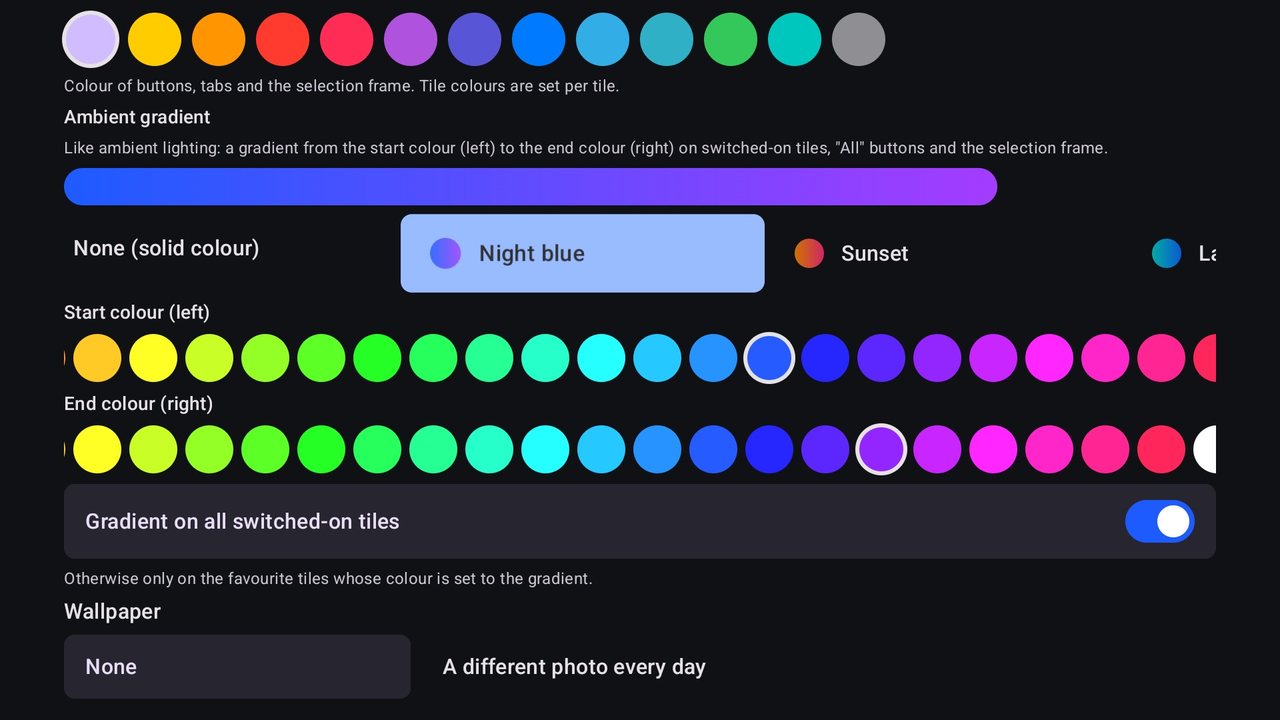
Glass, Midnight, Graphite, Sand… or import your Home Assistant theme (YAML): colours, translucent tiles, corner radius.
News & videos (Pro)
RSS feeds and latest YouTube videos through Home Assistant, with a QR code to open the article on your phone.
Mini tiles
A compact size to show more at once, and a default size of your choice for the tabs.
Calendar & TV guide (Pro)
Your Home Assistant calendars (Google, Outlook…) and the TV guide, with details for each programme.
Türkçe
The app and the website now also speak Turkish.
Made for the remote
No more pop-up keyboard, online help by QR code, device sync.
The real thing
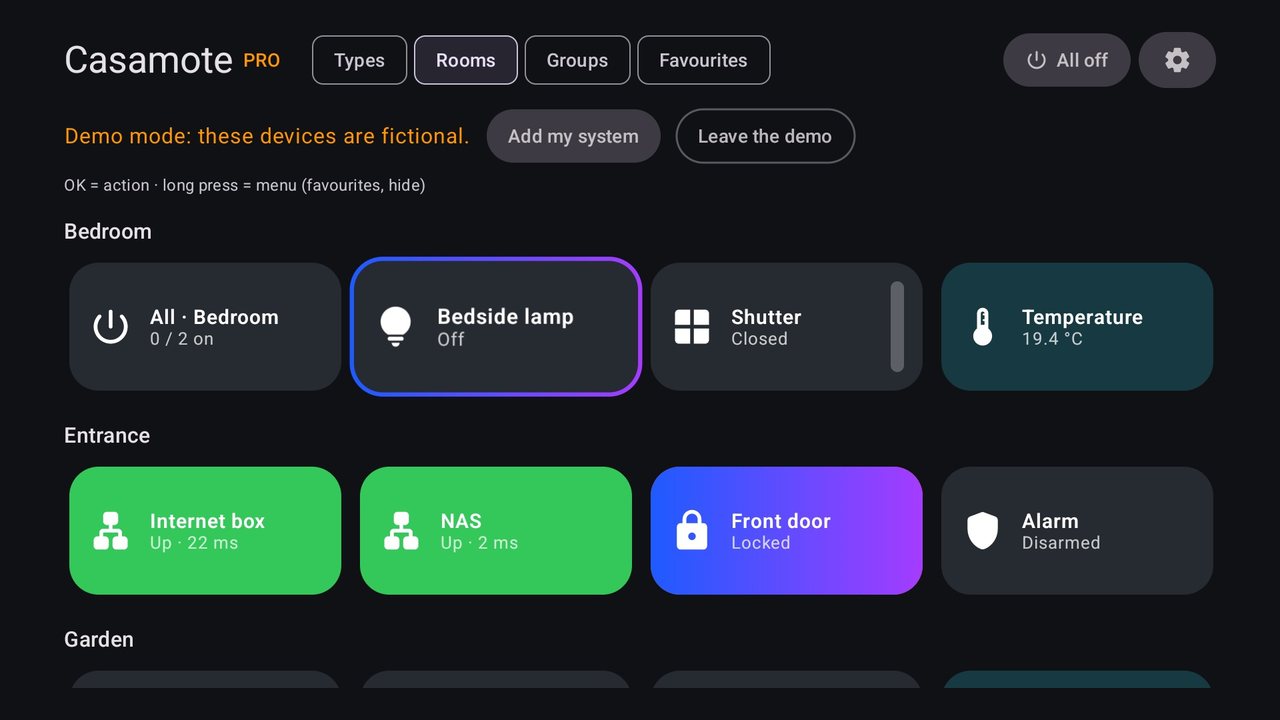
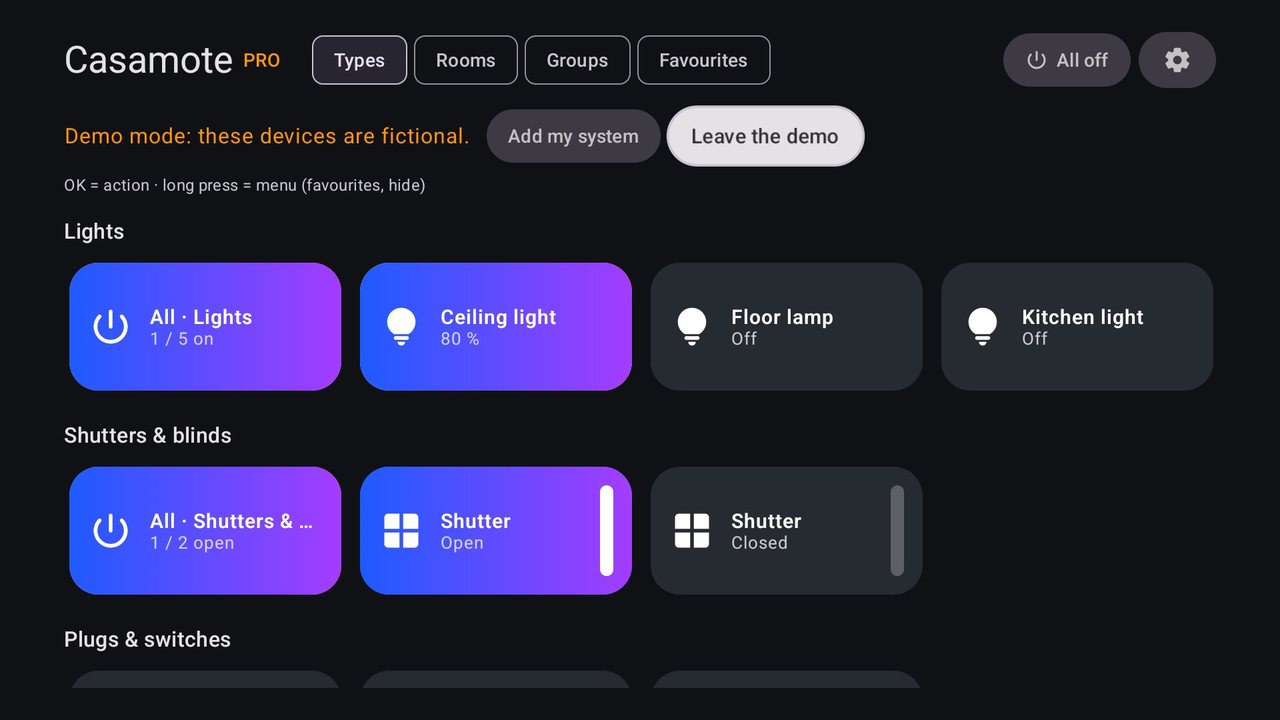
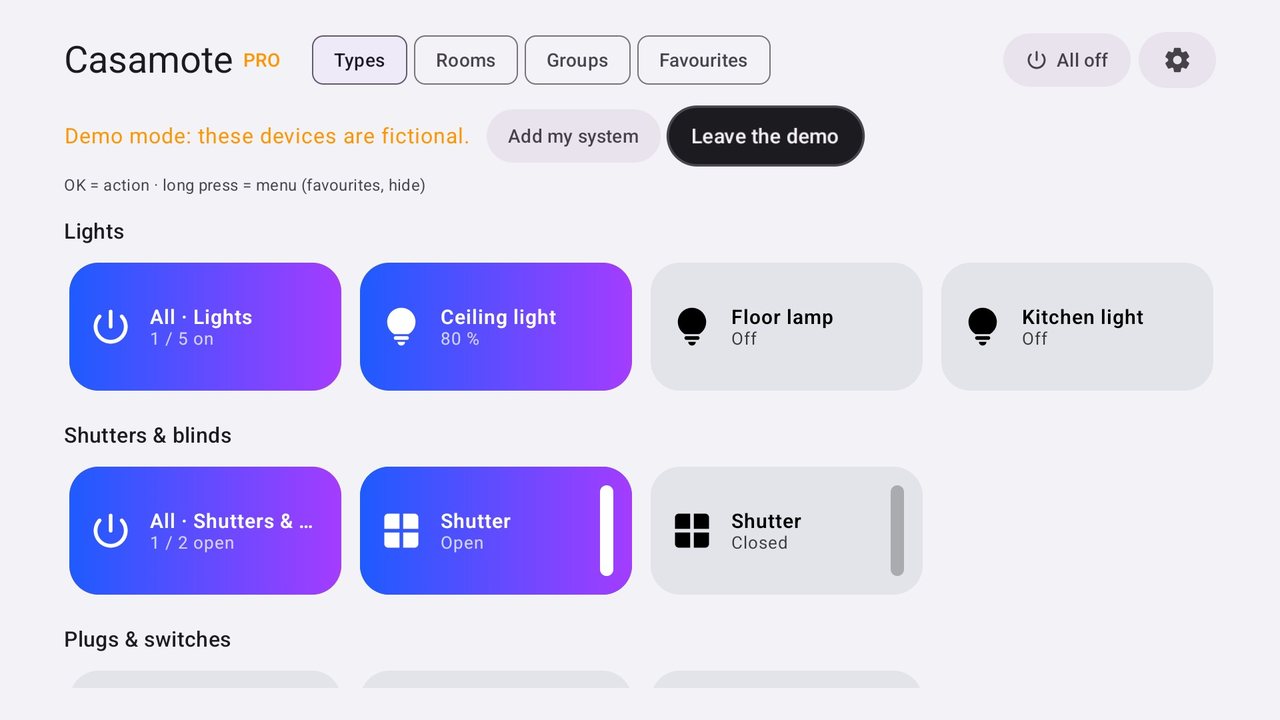
Actual screenshots on Android TV and Fire TV, with the demo home.
Three minutes to set up
- Install Casamote on the TV.
- Scan the QR code with your phone and add your hub. Or type everything with the remote.
- Your devices show up, sorted by type or by room. OK to switch, ▲▼ to adjust.
Made for the sofa
Readable from across the room
Big tiles, strong contrast, rows like the TV home screen. You see the state of the house at a glance.
By type, by room, by group
Rooms come from your hub. Make your own groups too, and switch a whole group on or off in one click.
Full-screen cameras
Video stream or snapshots, depending on your TV and network. 2×2 grid, and the doorbell pops up over the film.
Heating and air conditioning
Temperature and setpoint on the tile, adjust with the arrows, turn the pellet stove or the AC on and off.
Cinema mode
Press play: lights dim, shutters close. Pause: the lights come back. Hands-free.
Gate and alarm, protected
A PIN is always required, and these devices can never be driven by a link, a button or a group.
Cameras on detection, no Home Assistant
Casamote listens to Frigate's MQTT broker: someone at the gate, and the camera appears in a corner of the screen, even during a film.
Clock and local weather
Time, date and the values of your weather station or sensors, received over MQTT, top right. In the app, or over every app.
Backup to a USB stick
Plug a stick into the TV: the whole configuration fits in one file, to restore later or on another TV.
Detection on your IP cameras
Tapo, Hikvision, Dahua, Reolink, Sonoff: Casamote receives their motion and person alerts (ONVIF) and shows the camera in a corner of the screen. No Frigate or Home Assistant needed.
Finds your hubs by itself
“Search my network” spots Home Assistant, Frigate, Shelly, Sonoff, Jeedom, openHAB, cameras… Home Assistant signs in with your account, no token to copy.
Philips Hue and Sonoff, directly
Hue lights, rooms and scenes through the bridge, no Hue account. Sonoff plugs in DIY mode, and every device running Tasmota, no cloud.
Network monitoring
With Uptime Kuma, every router, server, NAS or camera becomes a green or red tile with its response time. An outage shows up over the film.
Also on phones and tablets
Same app, same purchase: a touch interface to control the home from the sofa or the garden. The TV remains the original target.
Demo mode
No hub yet? Try Casamote with a fictional home, then add your system whenever you like.
Over whatever you're watching
Someone walks into the garden: Frigate detects it, and the camera appears live in a corner without stopping the film. The clock and your weather station stay top right, over any app.
Nothing leaves your home
No Casamote account, no Casamote server, no ads, no analytics. The app connects straight to your hub on the local network, and your tokens are encrypted on the TV. Strict local mode refuses any address outside your network.
Works with
- Home Assistant
- Jeedom
- Somfy TaHoma / Connexoon
- Homey Pro
- openHAB
- Fibaro HC3 / Yubii Home
- RaspberryMatic / CCU3 (Homematic)
- FRITZ!Box Smart Home
- Philips Hue
- Shelly (Gen2 and later)
- Sonoff / eWeLink (LAN)
- Tasmota
- Uptime Kuma
- Frigate (cameras)
- IP camera (RTSP)
And anything that answers an HTTP request: Domoticz, eedomus, Node-RED, ioBroker, your own scripts…
Names mentioned are trademarks of their owners. Casamote is not affiliated with any of them.
Requirements
| System | Android TV, Google TV or Fire TV, Android 7.1 or later: TVs, Chromecast with Google TV, Nvidia Shield, Android TV boxes, Fire TV Stick and Cube. The interface is designed first for the remote. |
|---|---|
| Phone and tablet | Android 7.1 or later, same app and same Google Play listing: a touch interface opens on its own, with the essentials of the TV (tiles, rooms, groups, cameras, PIN, backup). |
| Processor | 32- or 64-bit ARM and x86: every Android TV model. |
| Network | The TV and your hub on the same local network, Wi-Fi or Ethernet. No Internet needed. |
| Camera video | H.264 recommended. H.265 and 4K depend on the TV's decoder: prefer the camera's sub-stream. |
| Overlays and clock | “Display over other apps” permission. On some TVs it can only be enabled with adb (see the documentation). |
| Pro purchase | Google Play or Amazon Appstore depending on the device. The purchase unlocks Pro on every device of the same store account (a Google Play purchase does not carry over to Amazon, and vice versa). |
| Not compatible | TVs running Tizen (Samsung), webOS (LG) or Titan OS. |
| Tested on | Philips Android TV 11 (2021), Xiaomi Google TV box, TCL Google TV, Amazon Fire TV Stick 4K (Fire OS 6), Android TV 7.1 and 14 emulators, Android 16 tablet, Samsung Galaxy A52s (Android 14). |
Free, then Pro if you want more
Free
- 1 system
- 20 devices, 6 small tiles
- Types, Rooms and Groups views
- “All off” button
- Home-screen row and screensaver
- Clock in the app, USB stick backup
- Network search for hubs and cameras
Pro
- Unlimited systems and tiles
- Medium and large tiles, colours, icons
- Sliders, thermostats, gate and alarm with PIN
- Live cameras, doorbell, overlays
- Remote buttons, quick panel
- Cinema mode, local bridge
- Cameras over MQTT (Frigate), clock over all apps
- IP cameras on detection (ONVIF: Tapo, Hikvision, Dahua…)
- Themes, Home Assistant theme import
- Calendar, TV guide, news and videos
- Mini tiles, unlimited devices
Questions
Is my TV compatible?
You need Android TV, Google TV or Fire TV, Android 7.1 or later: Sony, Philips on Android TV, TCL or Hisense on Google TV, Chromecast with Google TV, Nvidia Shield, Android TV boxes, Fire TV Stick and Cube. TVs running Tizen, webOS or Titan OS are not compatible.
Do I need the Internet?
No. Only the Pro purchase goes through Google Play or the Amazon Appstore. Everything else runs on your local network, even if your hub has no Internet access.
What if the phone page won't open?
Everything can also be set up with the remote. Step-by-step guides for each system are in the documentation.
Are my credentials safe?
They are encrypted with the TV's Android Keystore and never leave your network. Delete the system and they are gone.
Does it work on a phone or tablet?
Yes, since version 0.6: the same app installs from Google Play and opens a touch interface. Casamote was designed for the TV; on a phone, a few advanced settings (remote buttons, cinema mode, overlays) remain TV-only.
Can I try it without a smart home?
Yes: on first launch, choose “Try the demo”. A fictional home appears (lights, shutters, heating, gate under PIN…), without sending anything on the network. It disappears as soon as you add your own system.